

Neat Video ConferencingThat Frames Every Face on Its Own
Most meeting-room cameras give you one wide shot of a table. Neat’s on-device AI puts every person in their own tile and shields the call from hallway noise, so a Neat Bar Generation 2 or Neat Board 50 works as complete Zoom Room hardware or Microsoft Teams Rooms hardware — no separate camera, speaker, or compute box to wire together.

Why Neat
Meeting Room Hardware That Stays Out of the Way
Most room technology fails in the same places: too many boxes to wire, cameras that miss people, and audio that fades at the far end of the table. Neat takes a different approach. Each device puts the camera, microphones, speaker, and compute into one clean unit you mount once, so your rooms are faster to install and simpler for your team to support.
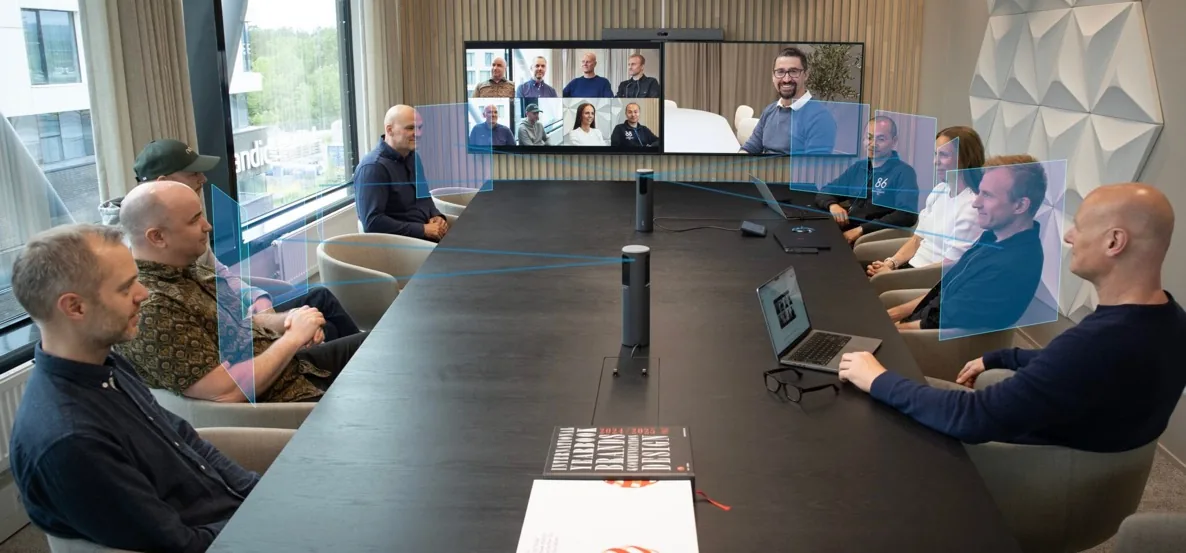
Neat Symmetry Framing
On-device AI frames each person in their own tile, adjusting in real time as they move to ensure remote colleagues see clear, consistent face sizes.
Zoom and Teams on One Device
Neat is certified for both Zoom Rooms and Microsoft Teams Rooms. You choose the platform at setup, so a single device model covers mixed-platform estates.
Neat Boundary for Open-Plan Offices
Draw a virtual line around a meeting space in Neat Pulse to lock camera framing and microphone pickup, excluding hallway traffic and nearby conversations.
Built-in Room Sensors
Neat devices sense occupancy, air quality, humidity, and temperature, giving facilities teams live data to right-size rooms and manage comfort.
Clear Audio at the Far End
Beamforming microphone arrays and full-room audio processing keep speech clear whether someone sits beside the device or at the back of a large room.
One Console for Every Room
Neat Pulse gives your IT team a single cloud dashboard to update firmware, change settings, and monitor every device across all your offices.
SELECT YOUR ROOM SIZE
The Right Neat Device for Every Space
Picking Neat hardware starts with the room. Match the space closest to yours, then review the recommended devices below. If you are unsure, book a room assessment, and Capstar will size the right device for your layout, seating, and platform.
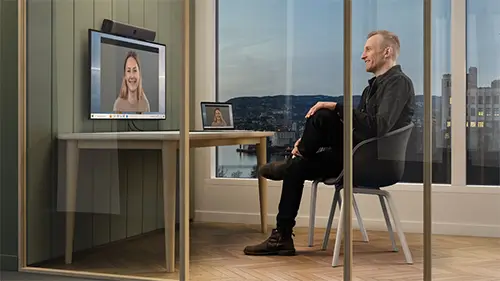
Desks, Focus Rooms & Reception
Compact all-in-one devices for personal offices, focus pods, and welcome areas with limited space and cabling.
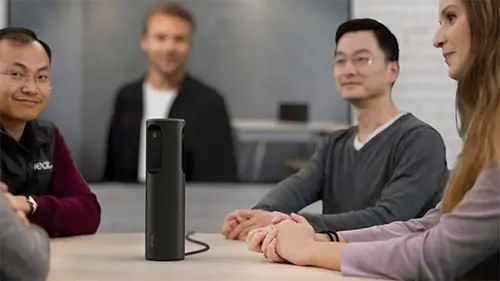
Universities & Education
Video bars and all-in-one boards that cover the rooms your teams use every day for stand-ups, reviews, and client calls.
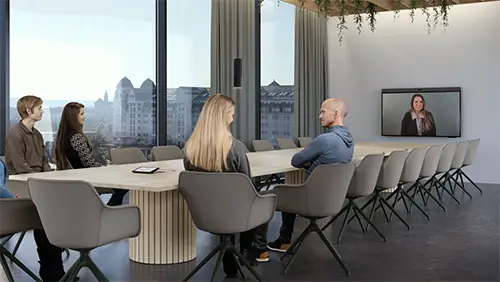
Enterprises & Private Sector
Dual-camera systems with extended microphone reach, plus a table-mounted Neat Center to cover every seat in long rooms.
Neat Bar Range for Pakistan
A Neat Bar pairs with your own display and mounts above or below the screen, so you keep the panel you want and add Neat camera, audio, and compute in one unit. The range scales from a plug-in BYOD bar for personal spaces to the dual-camera Neat Bar Pro for large boardrooms, and every bar carries Neat Symmetry framing so remote participants see each person clearly.
Choose the Neat Bar (BYOD) to turn a laptop and a screen into a quick meeting space, the Neat Bar Generation 2 for the huddle and standard rooms teams use daily, and the Neat Bar Pro when a room is long or heavily used and needs the widest camera and audio coverage.
Neat Bar (BYOD)
12MP · 120° FOV · 5-mic array · single USB-C to laptop
Neat Bar Generation 2
50MP · 113° FOV · 4x digital zoom · dual 4K screen support
Neat Bar Pro
Dual 50MP · 70–113° FOV · 16-mic 3D array · triple 4K screen support
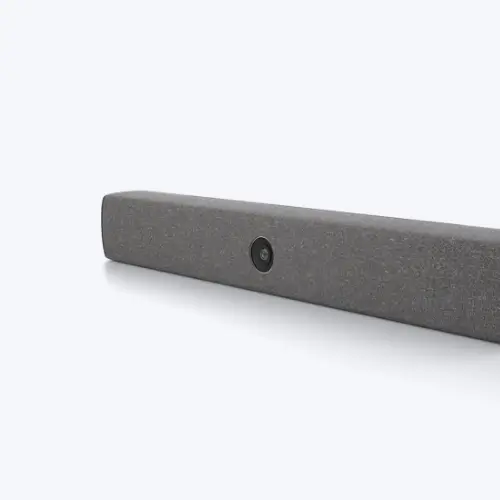
Neat Bar (BYOD)
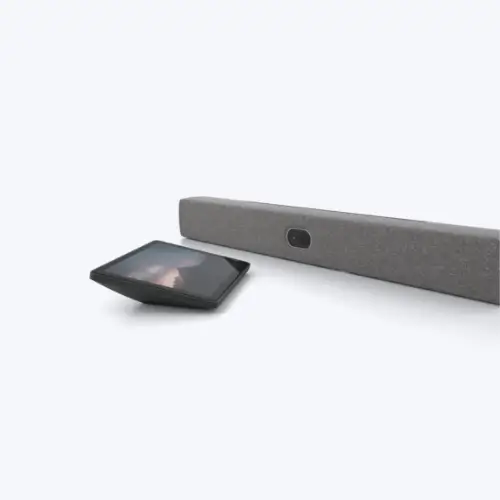
Neat Bar Pro
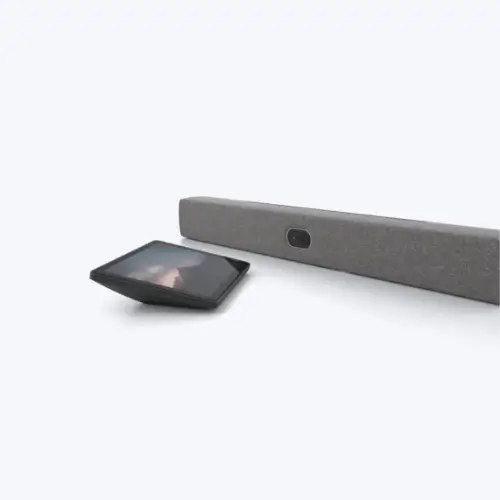
Near Bar Gen 2
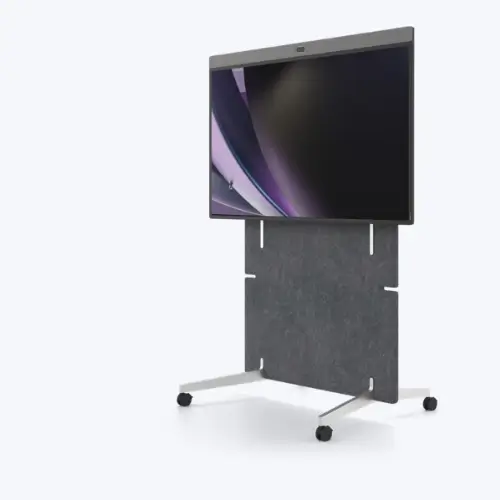
Neat Board Pro — 65-inch all-in-one touchscreen for medium and large rooms
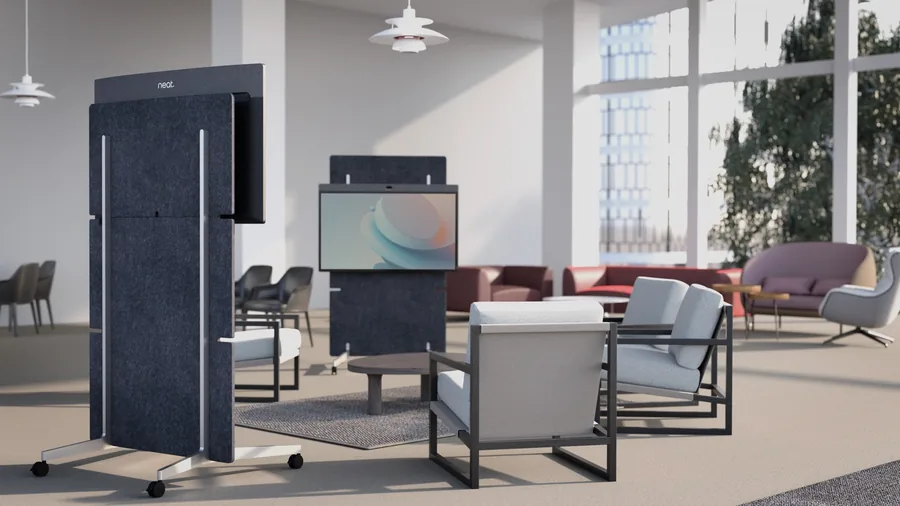
Wheeled trolley mounting moves a Board between rooms in minutes
Neat Boards – All-in-one-Touchscreens
Neat Board Range for Pakistan
A Neat Board combines the display, camera, audio, and an interactive whiteboard in a single touchscreen, so you skip the separate panel and cabling. Walk up, tap to join, sketch on the screen, and share content in the room or with remote participants—boards suit spaces where you want collaboration and video in one clean unit that installs quickly.
The Neat Board 32 fits desks and focus rooms, the Neat Board 50 covers huddle and small meeting rooms with a 50-inch screen, and the Neat Board Pro brings a 65-inch display and dual cameras to medium and large rooms. Each Board runs Zoom Rooms or Microsoft Teams Rooms and can be mounted on a wall, a floor stand, or a wheeled trolley.
Neat Board 32
32″ 4K touch · 140° FOV · 4-mic beamforming
Neat Board 50
50″ 4K touch · 50MP · 113° · Active Marker whiteboarding
Neat Board Pro
65″ 4K touch · dual 50MP · 70–113° · 5-mic beamforming
Neat Pad, Frame & Center for Pakistan
Companion devices complete a Neat room. The Neat Pad gives people a simple touch controller to start and join meetings, or mounts outside a door to show room availability and book on the spot. The Neat Pad Pro adds a larger 10-inch screen for medium and large rooms.
The Neat Center sits on the table in medium and large rooms and adds a 360-degree table view with extra microphone pickup, so people far from the main device are still seen and heard. The Neat Frame is a compact all-in-one for personal spaces, home offices, and reception or welcome areas.
Neat Pad (Room control & booking)
Touch controller inside the room or scheduling panel at the door
Neat Pad Pro (10" control & booking)
Larger control surface for medium and large rooms
Neat Center (Table camera & audio)
360° view and added mic reach in long or wide rooms
Neat Frame (Personal all-in-one)
Home offices, personal desks, reception and welcome areas
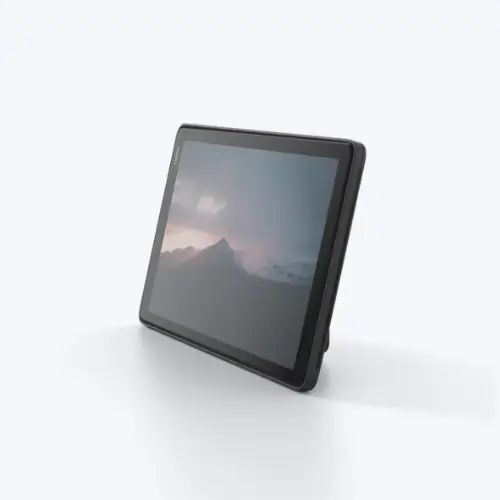
Neat Pad
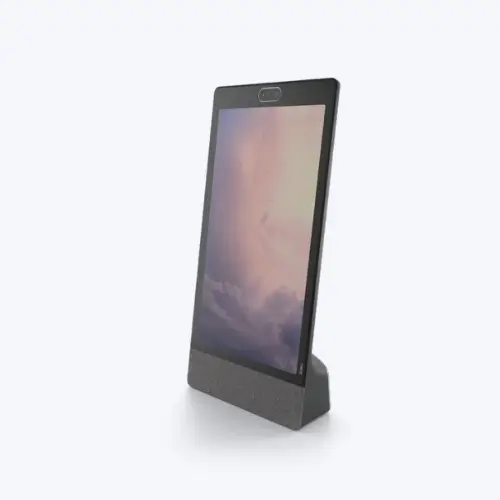
Neat Frame
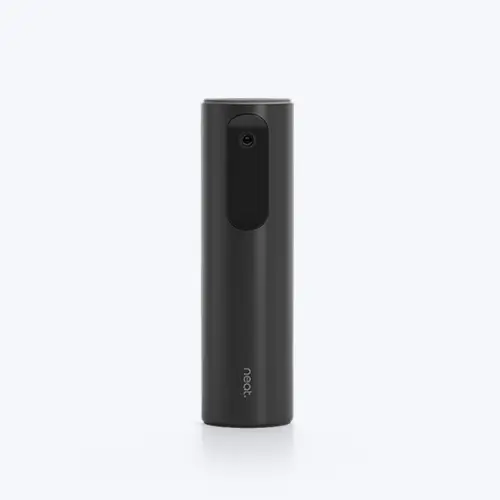
Near Center
Cloud Management & Support
Neat Pulse Keeps Every Room Running
Neat Pulse is the cloud console your IT team uses to run all your Neat devices from one place, whether you have three rooms or three hundred across multiple cities.
One dashboard for your whole estate
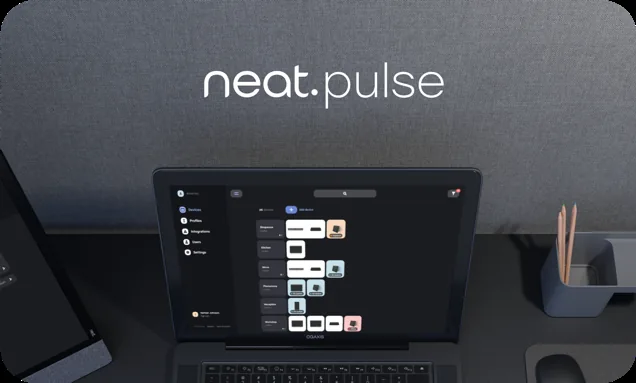
Neat Pulse — one console for firmware, settings, and alerts across every room
Recommendation Matrix
Match Your Room to the Right Neat Device
Use this as a starting point, then let Capstar confirm the exact device for your layout, seating, and platform during a room assessment.
ROOM TYPE
Personal Office/Focus Room
Reception/Welcome Area
Huddle Room
Standard Meeting Room
Large Conference Room
Boardroom/Training Room
SEATS
1–2
1–2
3–6
6–10
10–16
16+
Recommended Neat Device
Neat Frame or Neat Board 32
Neat Frame
Neat Bar Gen 2 or Neat Board 50
Neat Bar Gen 2 or Neat Board 50
Neat Bar Pro or Neat Board Pro
Neat Bar Pro or Neat Board Pro
Add Companion
None
None
Neat Pad
Neat Pad
Neat Pad Pro · Neat Center
Neat Center · Neat Pad Pro
Platform
Zoom · Teams · BYOD
Zoom · Teams
Zoom · Teams
Zoom · Teams
Zoom · Teams
Zoom · Teams
Why Buy From Capstar
More Than a Reseller of Neat Hardware
Buying a device is the easy part. Getting rooms that work on the first call, on the platform your business runs, takes a partner who designs, installs, and supports the whole solution. That is what Capstar Solutions does across Pakistan.
Enterprise deployments completed
Serving enterprises since
Cities with on-site teams
Platforms supported: Zoom & Teams
Consultation and Solution Design
We assess your rooms, seating, and platform, then design a device mix that fits how your teams actually meet, so you buy the right hardware once.
Supply, Installation, and Testing
We supply the hardware, coordinate installation, mount and cable each room, and test every device on a live call before we hand it over.
Zoom and Microsoft Teams Expertise
We deploy Neat for both Zoom Rooms and Teams Rooms and handle licensing, calendar integration, and network settings, not just the box on the wall.
Support and Managed Services
After go-live we manage your rooms through Neat Pulse, apply updates, and respond when something needs attention, so your IT team stays free.
Deployment & Support
What Capstar Handles for Your Neat Rooms
From the first site visit to ongoing support, we cover the full lifecycle so your Neat rooms stay reliable long after installation day.
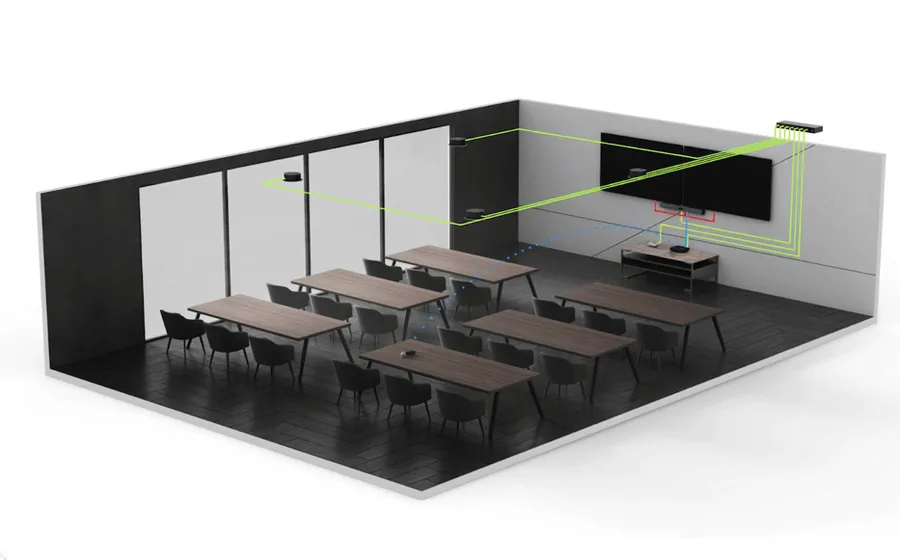
Room assessment maps camera coverage and seating before any hardware is ordered
Room Assessment
We measure your space, seating, lighting, and network, then recommend the Neat device and mounting that fit your room.
Scheduling Panels
We mount and configure Neat Pad and Pad Pro panels for one-touch join and clear room availability at the door.
Hardware Supply
We source genuine Neat bars, boards, pads, frames, and centers with clear itemized quotes and volume pricing.
Device Management
We enrol your fleet in Neat Pulse and can run updates, monitoring, and settings for you as a managed service.
Zoom & Teams Rooms Setup
We configure each device for your chosen platform, connect calendars, and tune camera and audio for the room.
Post-Sales Support
We stay on call after go-live to resolve issues quickly and keep your meeting rooms working day to day.
Where Neat Fits
Neat Rooms Across Your Organization
Neat devices cover the full spread of spaces enterprises, schools, and healthcare providers run every day.
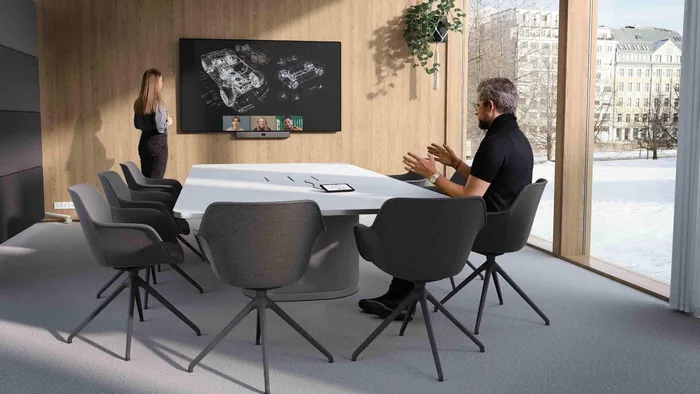
Corporate Meeting Rooms
Consistent video and audio in the huddle and standard rooms; teams book back-to-back.
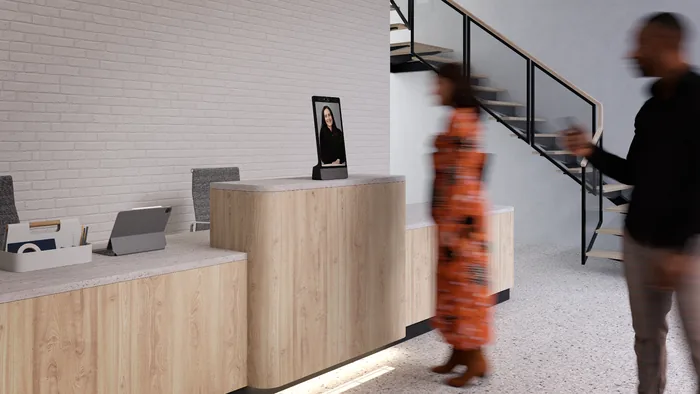
Reception & Virtual Front Desk
A Neat Frame at the entrance for visitor check-in and a virtual receptionist in unstaffed lobbies.
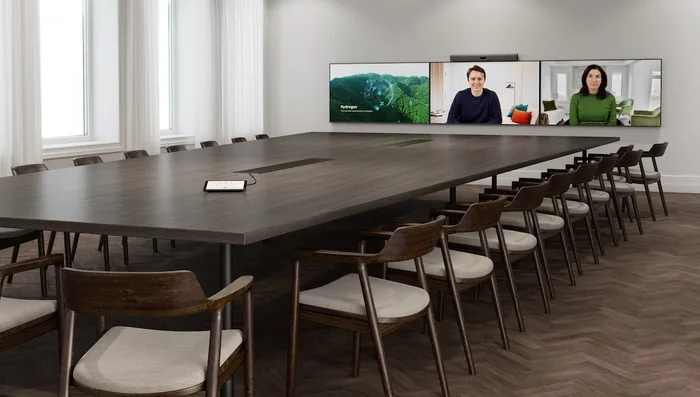
Executive Boardrooms
Dual-camera bars or Board Pro with a Neat Center so every seat at a long table is seen and heard.
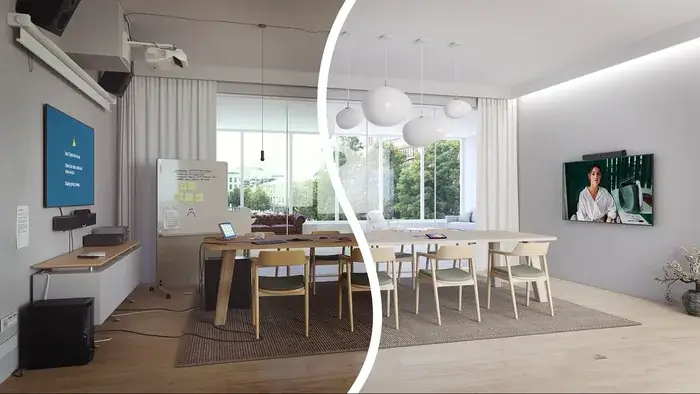
Healthcare Consultation Rooms
Clean, simple devices for remote consultations where clear audio and a reliable join matter most.
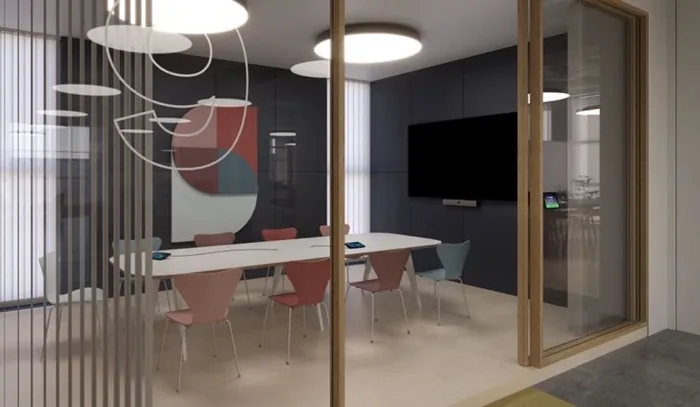
Huddle Spaces
Fast, cable-light installs with a Neat Bar Gen 2 or Neat Board 50 for small collaborative rooms.
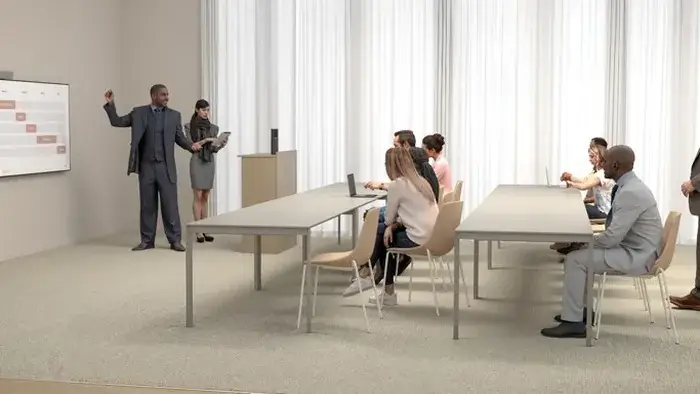
Education Spaces
Neat Boards for interactive teaching and hybrid classes, with whiteboarding built into the screen.
Get Started
Ready to Spec Out Your Meeting Rooms?
Tell us about your rooms and preferred cloud ecosystem. Capstar responds within 1 business day with room recommendations and a quote.
Request a Quote
The more detail you share, the more accurate our proposal.
Frequently Asked Questions
Neat Video Conferencing in Pakistan: Common Questions
Answers to the questions Pakistani IT and facilities managers ask most often before selecting and deploying Neat devices
Does Neat work with both Microsoft Teams Rooms and Zoom Rooms in Pakistan?
Every Neat device is certified for Microsoft Teams Rooms and Zoom Rooms, allowing you to choose the platform during setup. A Neat Bar Pro or Neat Board Pro can run both platforms in different rooms on the same hardware, simplifying procurement. Capstar Solutions configures each room for your chosen platform and manages licensing, network settings, and on-site testing across Karachi, Lahore, and Islamabad.
What is the difference between a Neat Bar and a Neat Board?
A Neat Bar is a video bar that pairs with your own display and mounts above or below the screen, so you supply the panel and Neat supplies the camera, microphones, and speaker. A Neat Board is an all-in-one touchscreen that combines the display, camera, audio, and an interactive whiteboard in a single unit, so you don’t need a separate screen. Choose a Neat Bar when you already have a display or want a larger screen, and choose a Neat Board when you want interactive whiteboarding and a faster, cable-light installation.
What does Neat Symmetry do during a call?
Neat Symmetry is an on-device AI feature that individually frames each person in the room, instead of using a wide shot. It adjusts in real time as people move, ensuring remote participants see each face at a consistent size throughout the call.
Which Neat device is best for a small huddle room in Pakistan?
For huddle rooms seating 2 to 6 people, the Neat Bar Gen 2 and Neat Board 50 are top choices. The Neat Bar Gen 2 mounts above or below your display and suits rooms up to 5 meters deep, while the Neat Board 50 is a 50-inch all-in-one touchscreen with whiteboarding and content sharing. For very small spaces, the Neat Board 32 and Neat Frame are ideal for rooms under 2 meters. Capstar recommends the Neat Bar Gen 2 as the practical starting point for most Pakistani huddle rooms.
What does the Neat Center do and when do I need it?
The Neat Center is a device for medium to large meeting rooms that provides a 360-degree camera view and extra microphone pickup, ensuring remote participants can see and hear everyone, even those far from the main camera. It’s recommended for long tables or when participants face away from the camera. Capstar evaluates your room layout to determine whether a Neat Center will improve coverage before you buy.
How do I manage and monitor Neat devices across multiple offices?
Neat Pulse lets IT teams manage Neat devices through a cloud console, enabling room monitoring, firmware updates, and settings adjustments from one dashboard. Neat Pulse Starter is free, while the Plus and Pro tiers offer priority support, hardware replacement, and extended warranty. Capstar Solutions can enroll your devices during deployment and provide ongoing support, ensuring rooms stay updated without needing an engineer on-site.
How much do Neat video conferencing devices cost in Pakistan?
Neat hardware pricing in Pakistan varies by device and room size. Entry devices like the Neat Bar and Neat Frame are more affordable, while mid-range options like the Neat Bar Generation 2 and Neat Board 50 cost more. Large systems, such as the Neat Bar Pro and Neat Board Pro, are at the top end. Companion devices, including the Neat Pad and Neat Center, are priced individually. Capstar Solutions offers detailed quotes that include hardware, licensing, installation, and local support. Contact us for current pricing.
Related Solutions from Capstar Solutions
Microsoft Teams Rooms Devices
Compare Neat with other certified Teams Rooms hardware for your deployment.
Microsoft Teams Direct Routing
Add enterprise calling to the same Teams Rooms your Neat devices run in your organization.
Zoom Video Conferencing Pakistan
See the full Zoom Rooms hardware and licensing options Capstar deploys.
Yealink Video Conferencing
Compare Neat Room Solutions with Yealink Teams Rooms and Zoom Rooms hardware.